
A clearer & easier way to work in Engage Suite CMS
We have refreshed the Engage Suite CMS interface with clearer navigation, improved overviews and more efficient workflows.
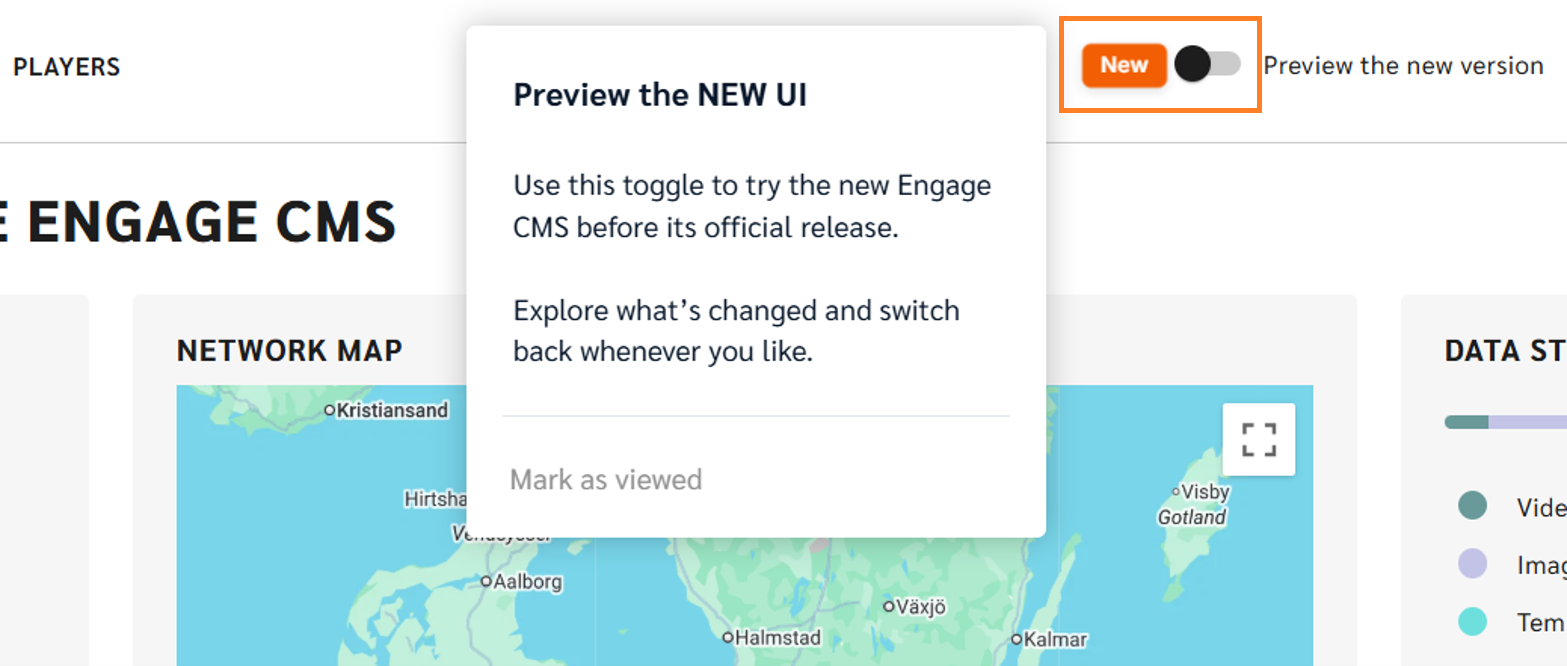
Have you noticed the New UI toggle?
It gives you an early look at the refreshed Engage Suite CMS before its official release. Turn it on to explore the changes and get familiar with the new experience.
Find things faster
The updated navigation makes it easier to find the areas you use most. Many familiar features are still there, but they have been reorganised into a more intuitive and consistent structure.
· Templates now have their own navigation item
· Players have been renamed to Devices
· Power Schedules & Device Labels have moved from Players to Settings
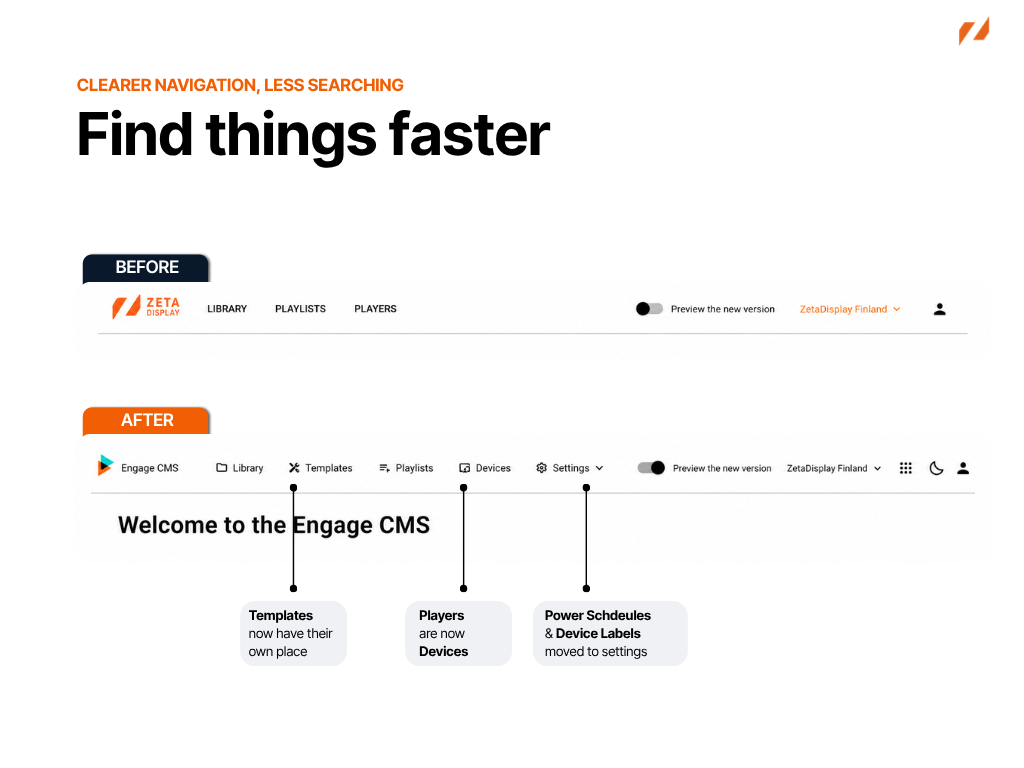
This makes everyday navigation simpler, with frequently used features easier to find and quicker to access.
Get a better overview
Playlist management is now easier to review than before.
Managing multiple playlists often means checking which ones are active, how they are configured and which content takes priority. The updated playlist overview brings this key information directly into the list view, so you can understand what is happening without opening each playlist individually.
This means fewer clicks to check important details and a faster way to spot what may need your attention.
Status
Quickly see whether a playlist is published, disabled or expired.
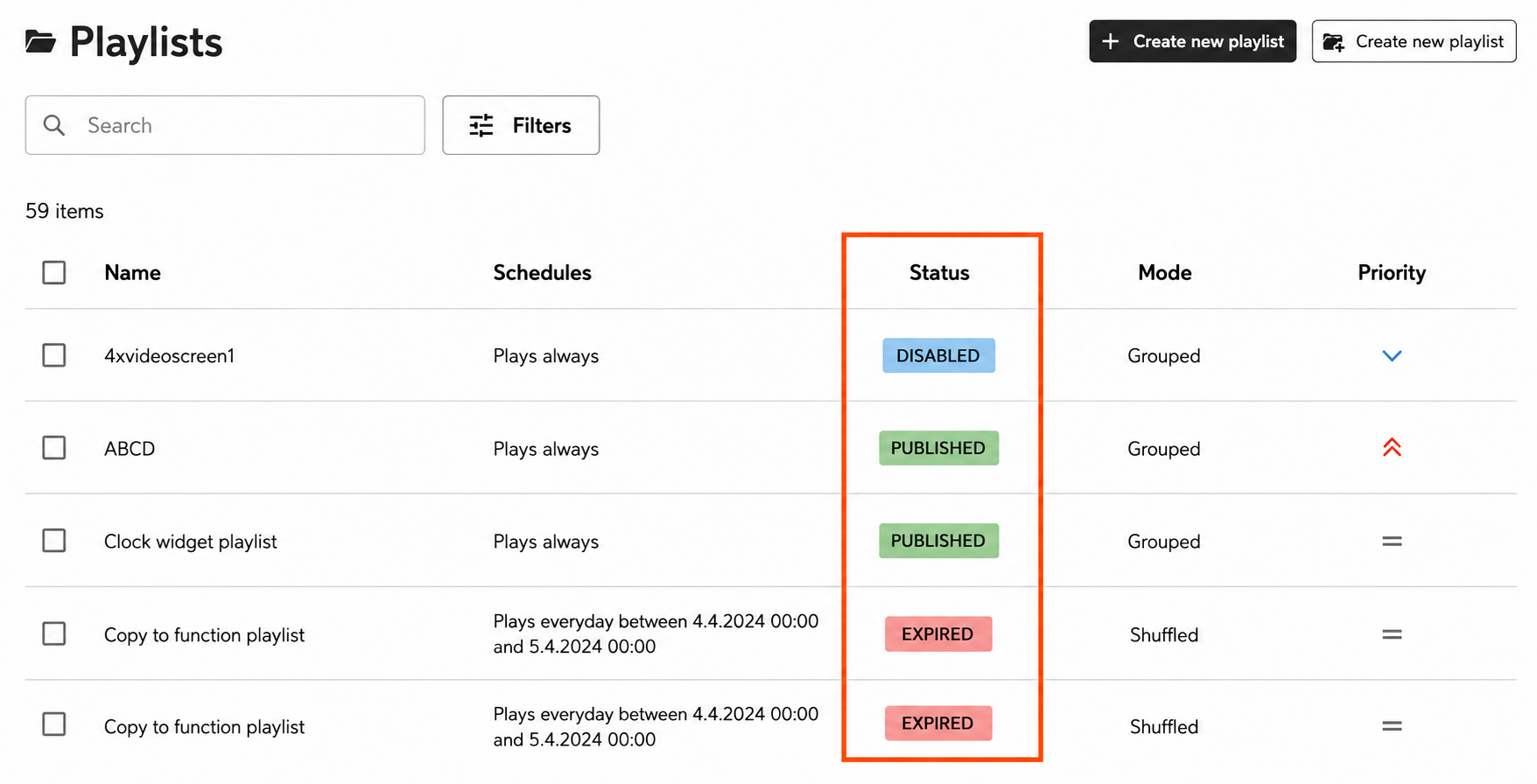
This makes it quicker to understand which playlists are currently available for playback.
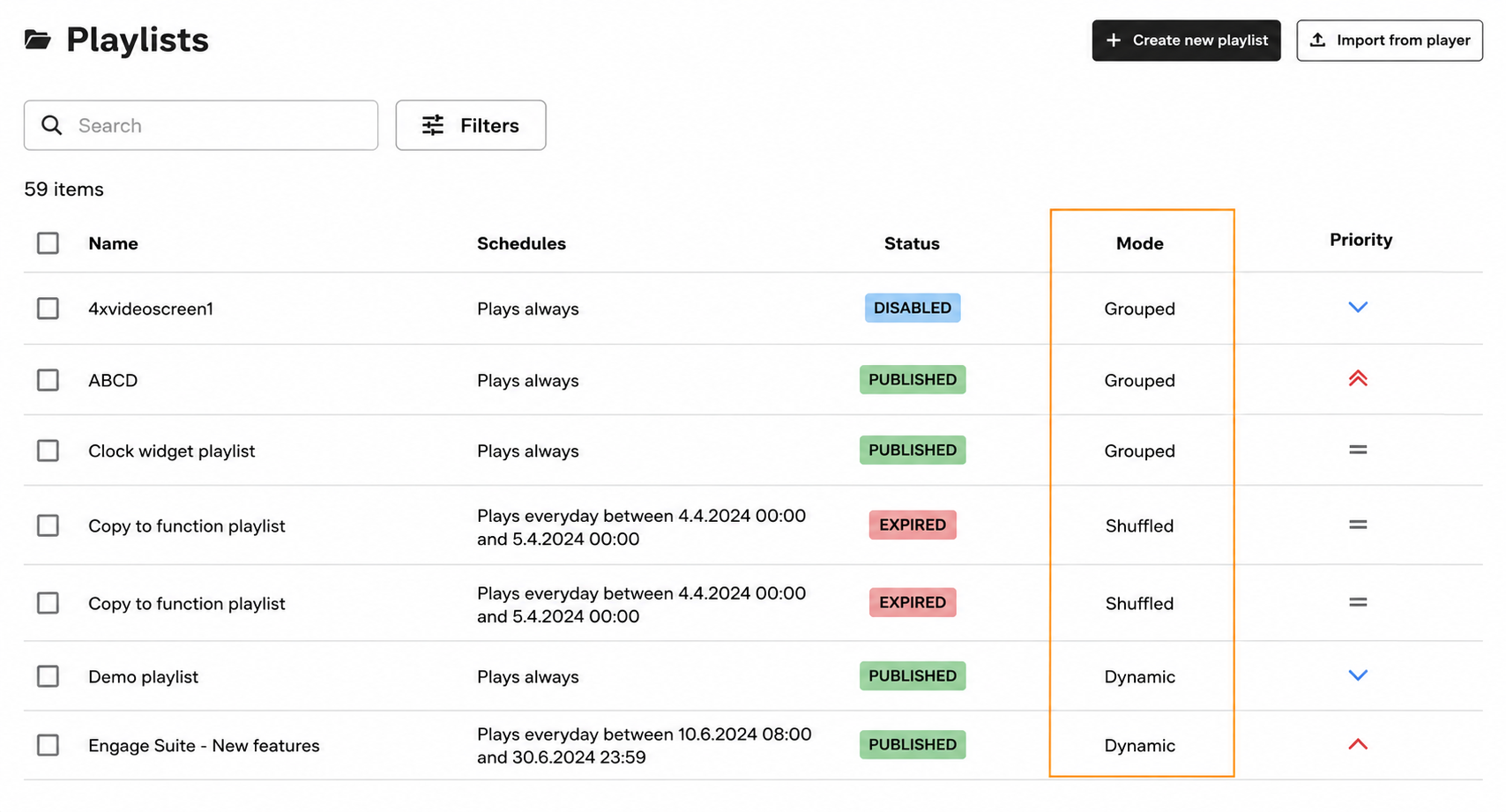
Mode
See each playlist’s playback mode directly from the overview, making it easier to understand how it will play alongside other playlists scheduled on the same device.
Priority
Playlist priority is now visible directly in the playlists overview, making it easier to compare playlists and understand which content takes precedence without opening each playlist individually.
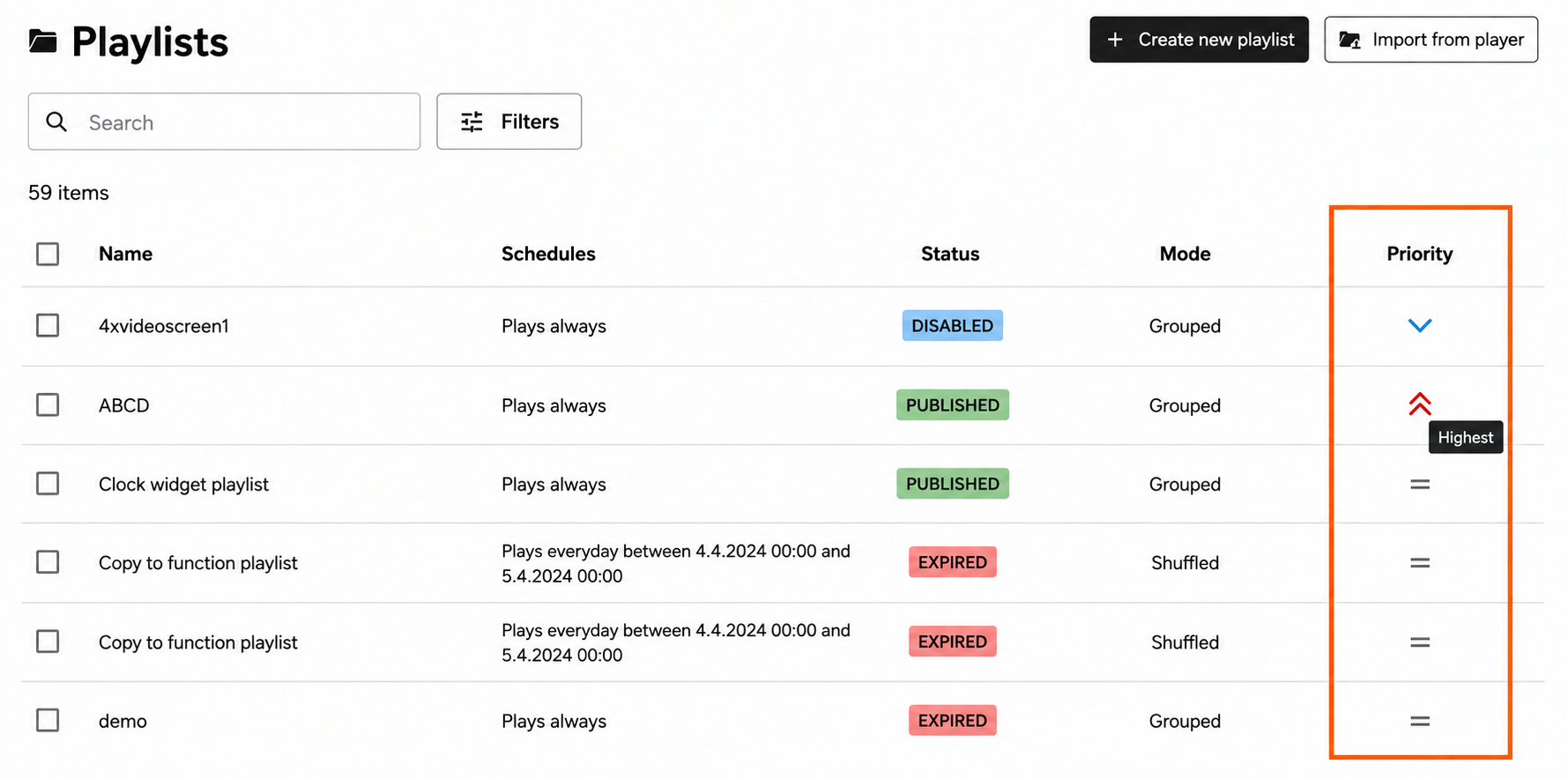
This is especially helpful when working with larger playlist collections, where users need to check details quickly and understand what needs attention.
Manage everyday tasks with less friction
Common workflows have been updated to feel clearer and more consistent across the CMS.
Filter more easily
Narrow down large lists more easily. Filters are now available in a dedicated side panel, giving you a clearer view of your options and making it easier to adjust multiple filters when looking for specific content or devices.
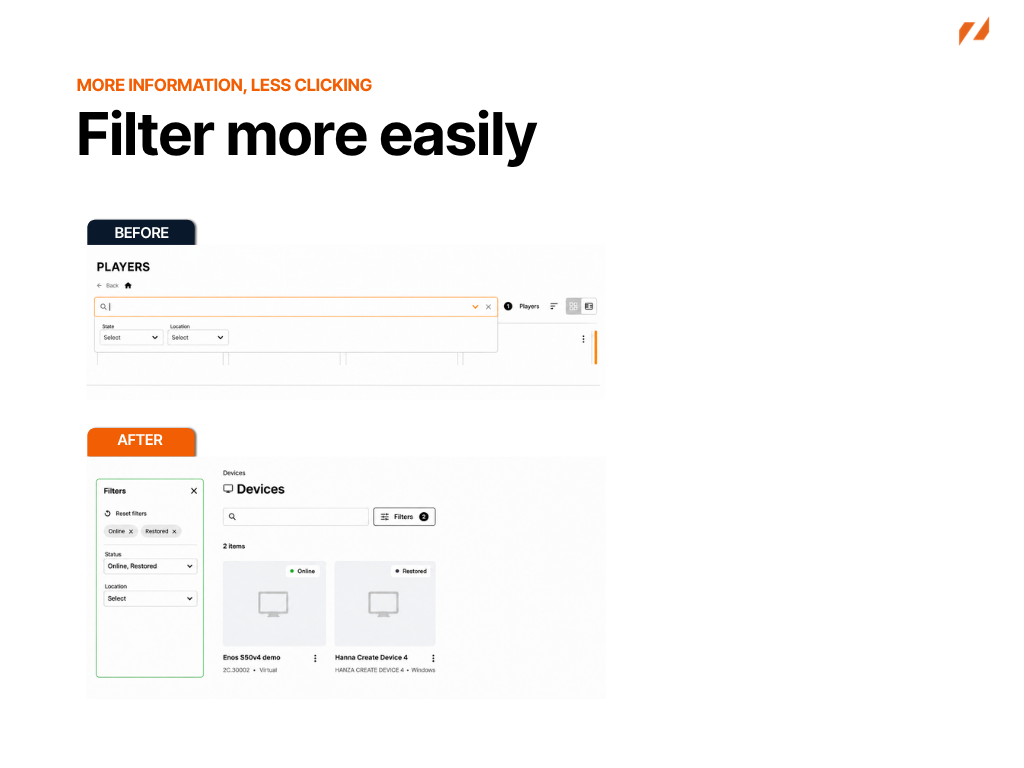
Navigate folders more smoothly
Move between folders without losing your way. The updated side navigation makes it easier to see where you are and move between folders, subfolders and device groups.
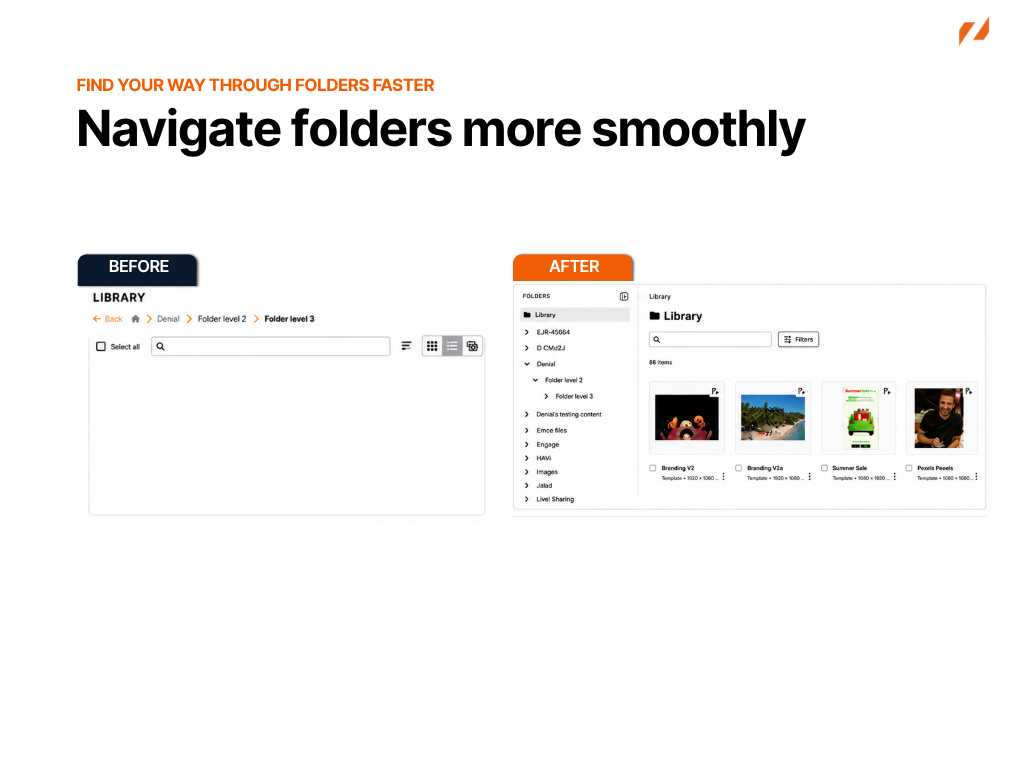
This is particularly helpful when working with larger or more complex structures.
Manage Power Schedules and Labels more easily
Power Schedules and Device Labels have also been refreshed with updated overview, create and edit experiences. More information about these updates will be shared in separate articles.
Explore the new UI
Together, these updates help users find what they need faster, understand key information at a glance and manage daily CMS tasks with more confidence.
Share your feedback
As you explore the new UI, we’d love to hear what you think. Use the feedback form linked here to share your experience, suggestions or anything you think could be improved.
Find the feedback form in Engage CMS
You can also access the feedback form at any time from Help & Guides in Engage CMS:
- Open Help & Guides from the profile menu.
- From Home, select New UI Articles.
- Select Give feedback on the New UI to open the feedback form.